Digital Guest Guidebook your guests open in one scan.
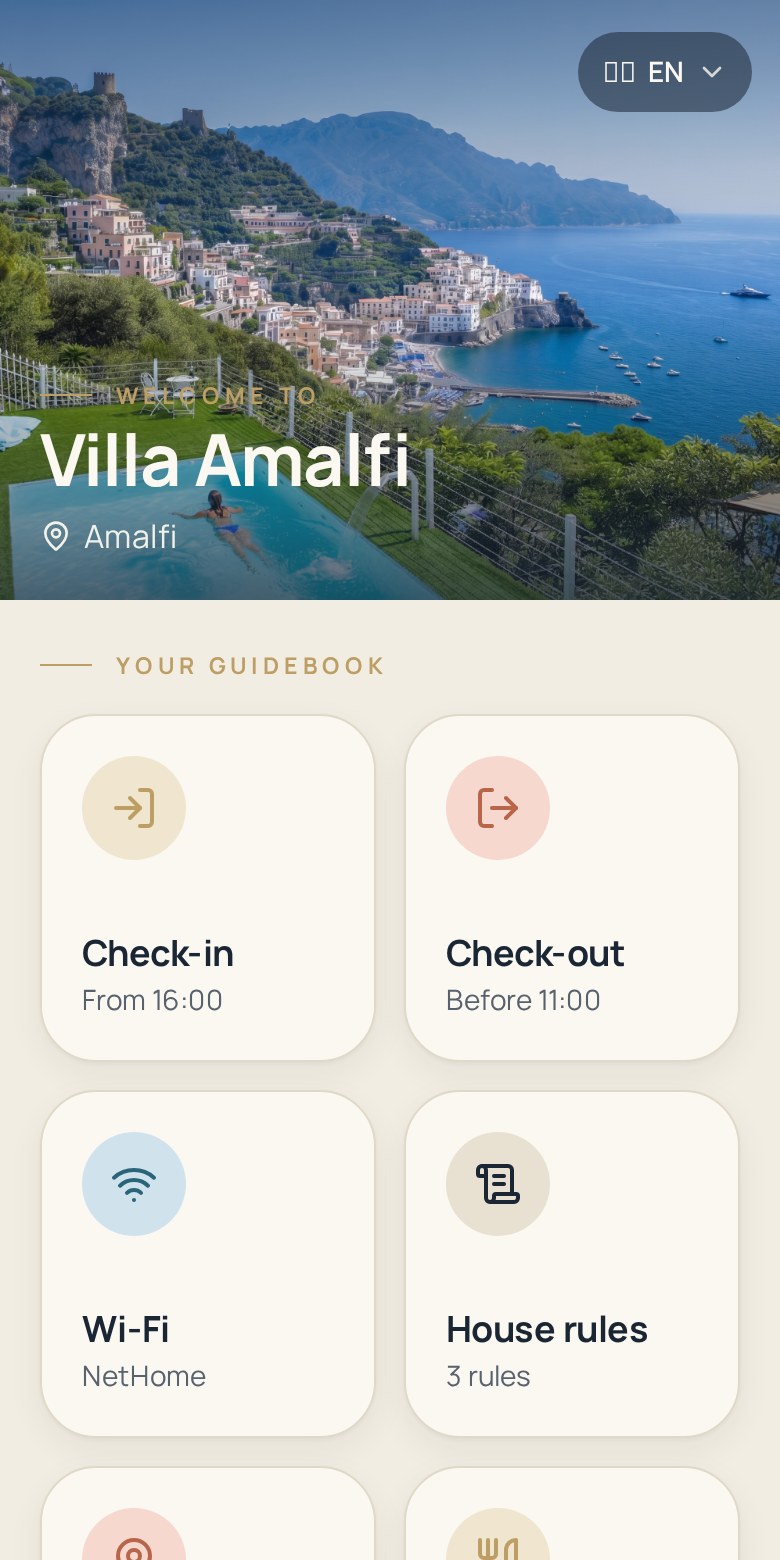
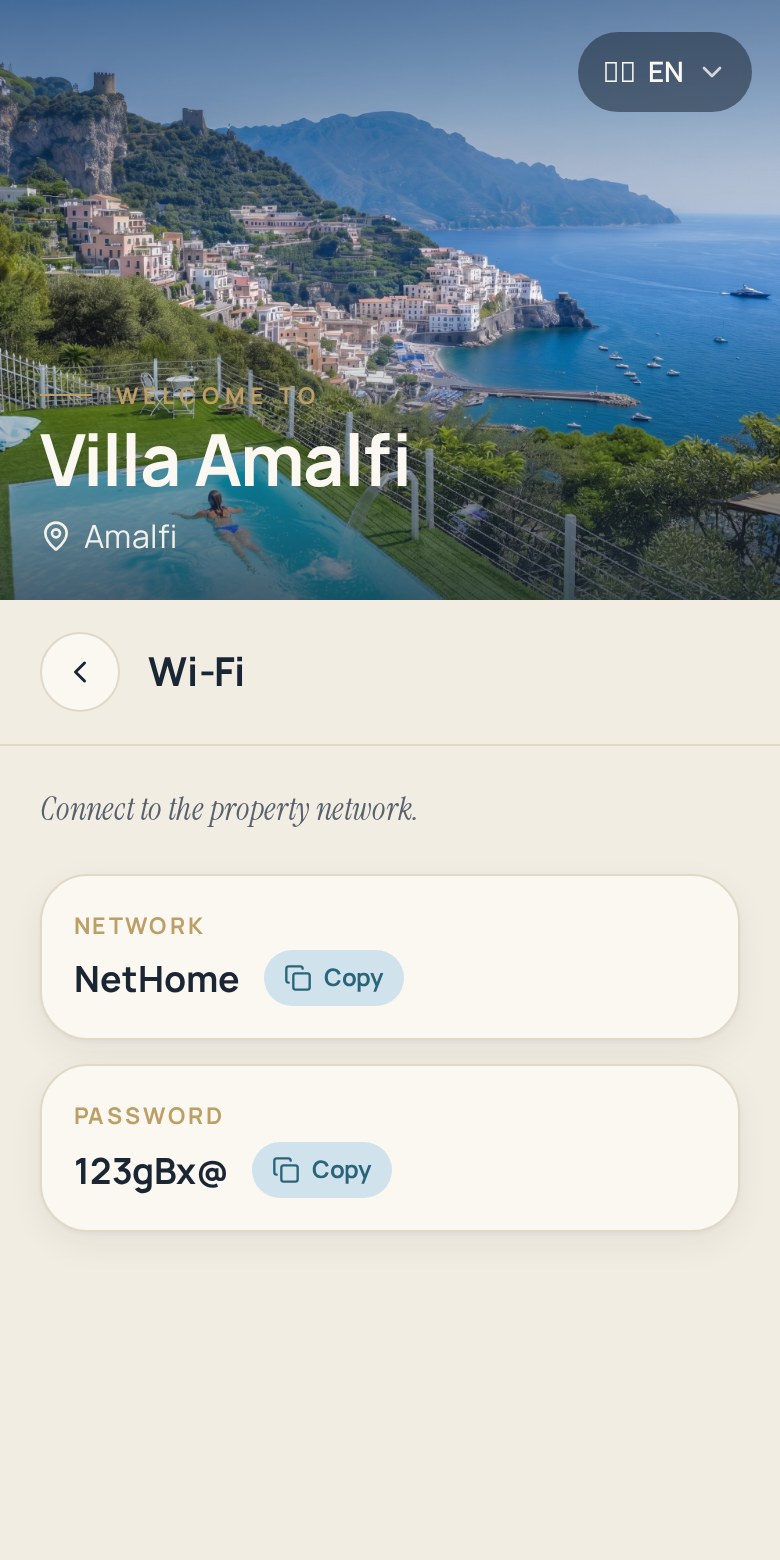
Zoguest turns your welcome information into a branded digital guidebook. Guests scan a QR code and instantly find Wi-Fi, access codes, house rules and your local recommendations — no app, no account, no PDF attachment.
Start 14-day free trialNo credit card required
The problem with paper binders and PDFs
Every host knows the routine: the same questions, at the same hours, for information that is already written down somewhere.
- Guests message you at midnight for the Wi-Fi password or the door code.
- The printed binder is out of date the day a code or a rule changes.
- PDFs are hard to read on a phone and get lost in the message thread.
- With several properties, you maintain several versions of the same document.
How Zoguest works
From your dashboard to your guest's phone, publishing a guidebook takes a few minutes per property.
- 1
Create your property
Add the name, the address and a hero photo. Zoguest generates a stable guest link that never changes when you rename the property.
- 2
Fill in your information
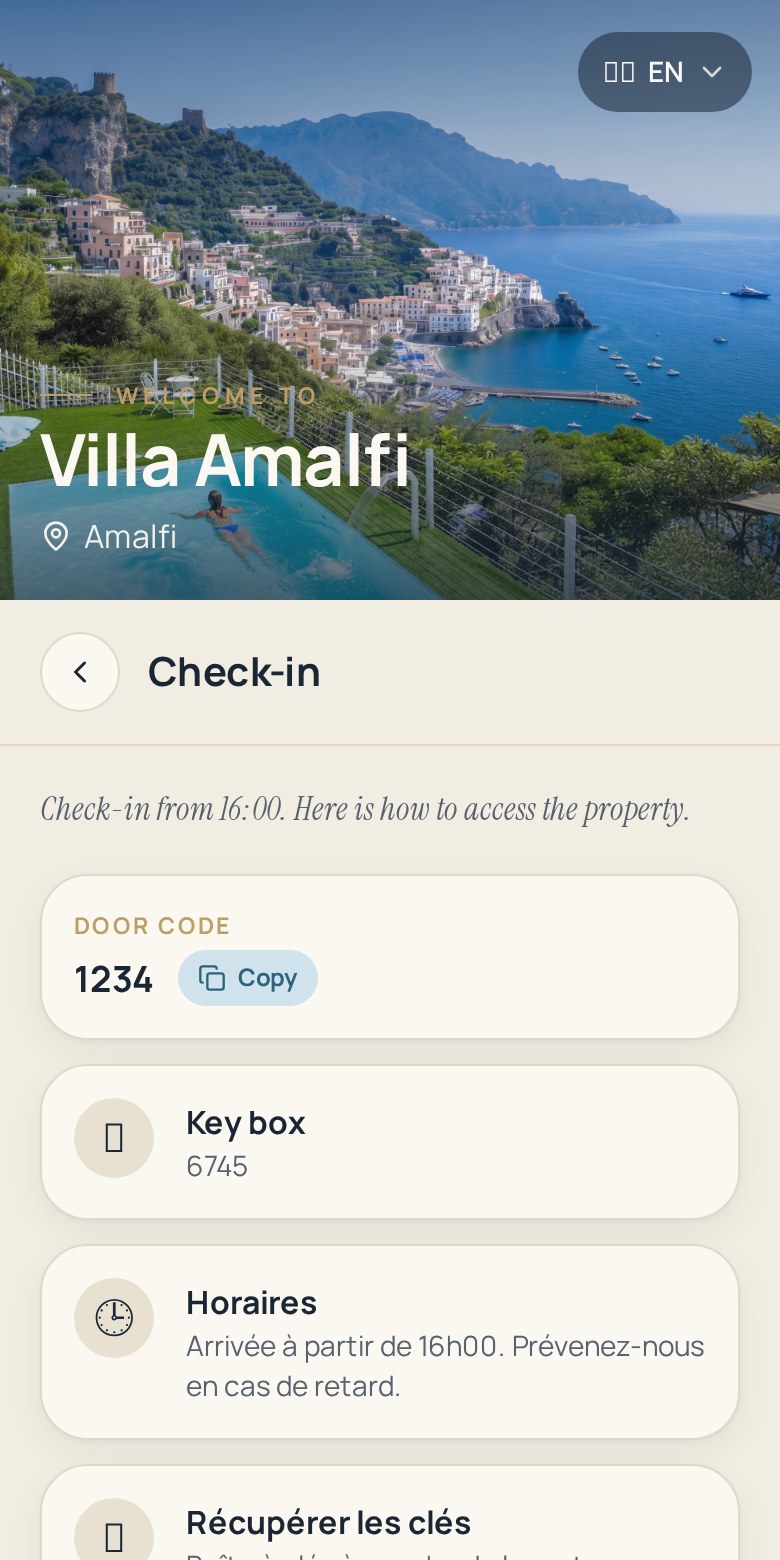
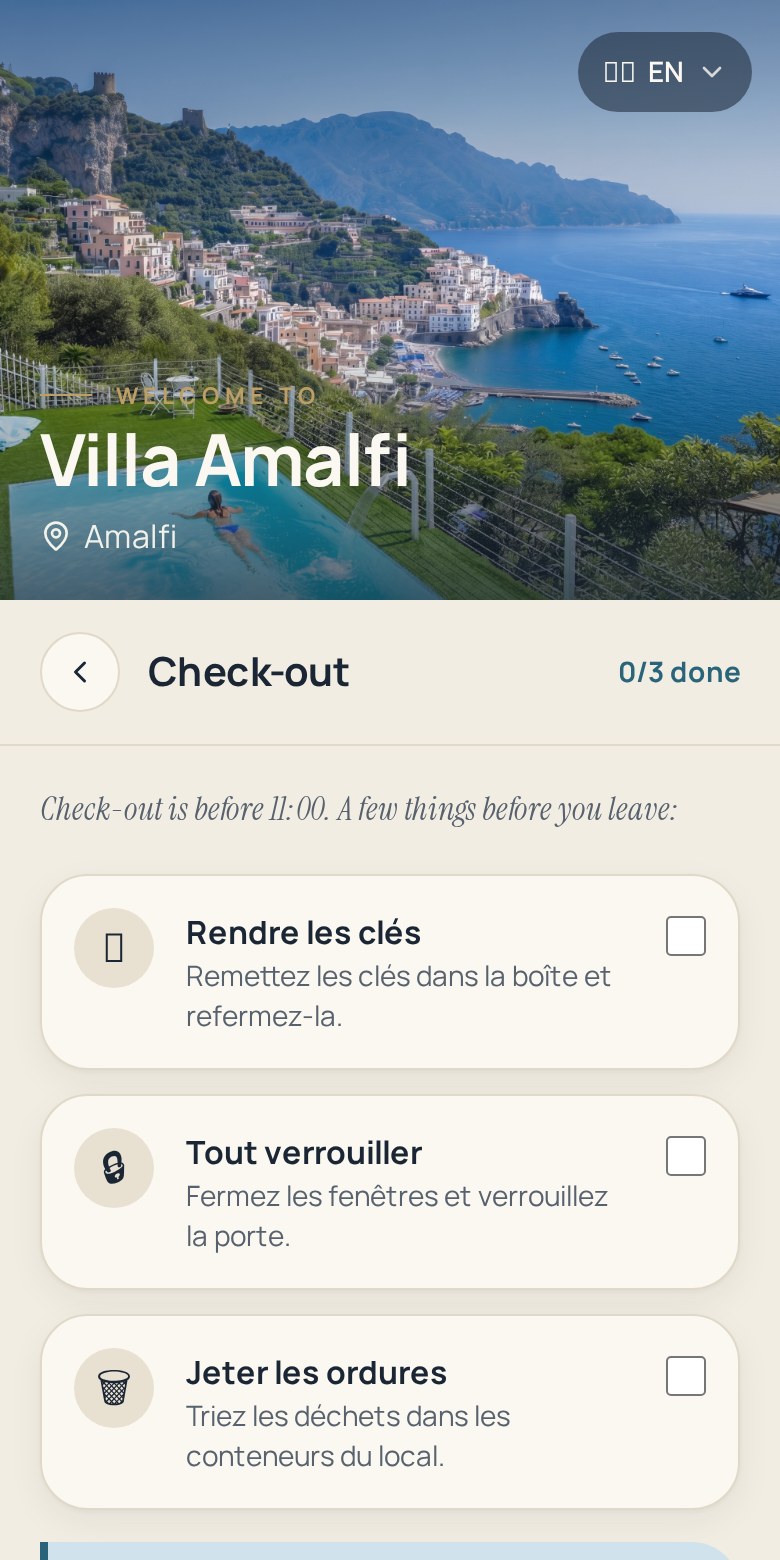
Check-in, check-out, Wi-Fi, house rules, equipment, local recommendations: fill in only the sections you need.
- 3
Publish and share the QR code
Print the A4 poster with the QR code, or send the link before arrival. Guests open the guidebook in their browser.
- 4
Update in real time
Change a code or a rule and every guest sees the new version instantly — nothing to reprint, nothing to re-send.
Features
Everything a host or a property manager needs to run welcome information at scale.
Unlimited sections
Arrival, Wi-Fi, house rules, appliances, check-out, recommendations — organised the same way in every property.
QR code and A4 poster
Each property gets its own QR code and a print-ready poster to hang by the entrance.
Your branding
Your hero photo, your colours and your property name: guests see your brand, not ours.
Automatic translations
Your content is translated for your guests depending on your plan, so international travellers read it in their language.
Multiple properties
Duplicate an existing guidebook, change the Wi-Fi and the access codes, publish. One dashboard for your whole portfolio.
Draft and published states
Work on a guidebook privately and publish it when it is ready. Unpublish instantly whenever you need to.
Product screenshots
What your guests see once they scan the QR code.
Benefits
Fewer messages
The most common questions are answered before they are asked, day and night.
Better reviews
A smooth arrival and clear instructions are what guests remember when they rate the stay.
Always accurate
One source of truth per property, updated in seconds instead of reprinted.
Scales with your portfolio
One property or fifty: the same workflow, the same structure, one dashboard.
Frequently asked questions
Do guests need to install an app?
No. The guidebook opens in the phone browser after scanning the QR code or opening the link. There is no app and no account to create.
Can I use it for several properties?
Yes. Each property has its own guidebook, its own QR code and its own link. You can duplicate a guidebook to set up a new property in minutes.
What happens when I change an access code?
You edit one field and the change is live immediately. Printed QR codes keep working because the guest link never changes.
Is the guidebook translated for international guests?
Yes, translations are generated automatically. The number of guest languages depends on your plan.
Does it work with Airbnb, Booking.com, Vrbo and Abritel?
Zoguest works alongside every platform. You simply share the link or the QR code with the guests of any listing.
Publish your digital guest guidebook today
Try Zoguest free for 14 days and give your guests a guidebook they can actually use.
Start free trialNo credit card required