Booking.com guest guidebook for properties without a front desk.
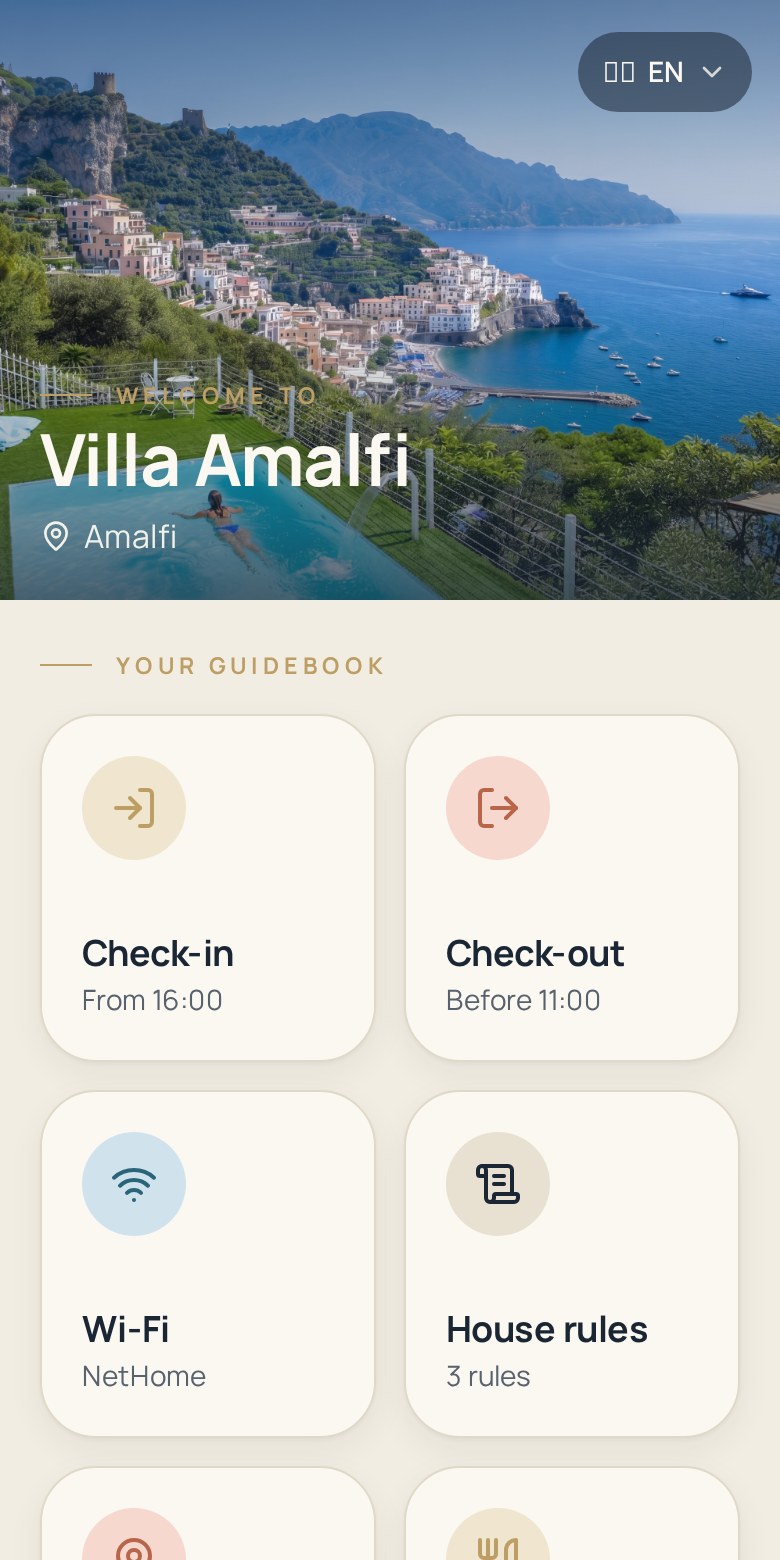
On Booking.com many guests book late, arrive late and expect hotel-level clarity. Zoguest turns your guest information into a digital welcome book — arrival, Wi-Fi, property rules, check-out — accessible from one link or a QR code at the entrance.
- Written for self check-in stays: apartments, studios, guest houses and B&Bs.
- One page per unit, so a property manager can run several units the same way.
- No app and no login for the guest — a browser page opened from a link or a scan.
14-day free trial · No credit card required
Where Booking.com stays lose guests
Booking.com traffic is high-volume and last minute. Bookings can be confirmed hours before arrival, often by guests who have never used self check-in before.
Late bookings, no time to brief
A reservation confirmed in the afternoon leaves little room for a long exchange of messages before the guest is standing at your door.
Guests expect a reception desk
Coming from hotel habits, guests look for someone to ask. Without a front desk, everything they need has to be written down and easy to find.
Instructions lost in emails
Arrival details sent by email or platform message are buried under confirmation notices, invoices and marketing emails.
Property rules read too late
Rules that only exist in the listing text are rarely reread once the guest is in the room, which creates avoidable friction over noise, smoking or extra guests.
Multi-unit information drift
For a manager with several units, per-unit codes and specifics quickly become impossible to track in documents and spreadsheets.
Phone calls at the worst moment
Every missing detail becomes a call — usually during a changeover, a commute or the middle of the night.
A digital welcome book built around self check-in
Zoguest gathers the guest information a Booking.com stay needs, in the order the guest will need it.
Arrival and check-in
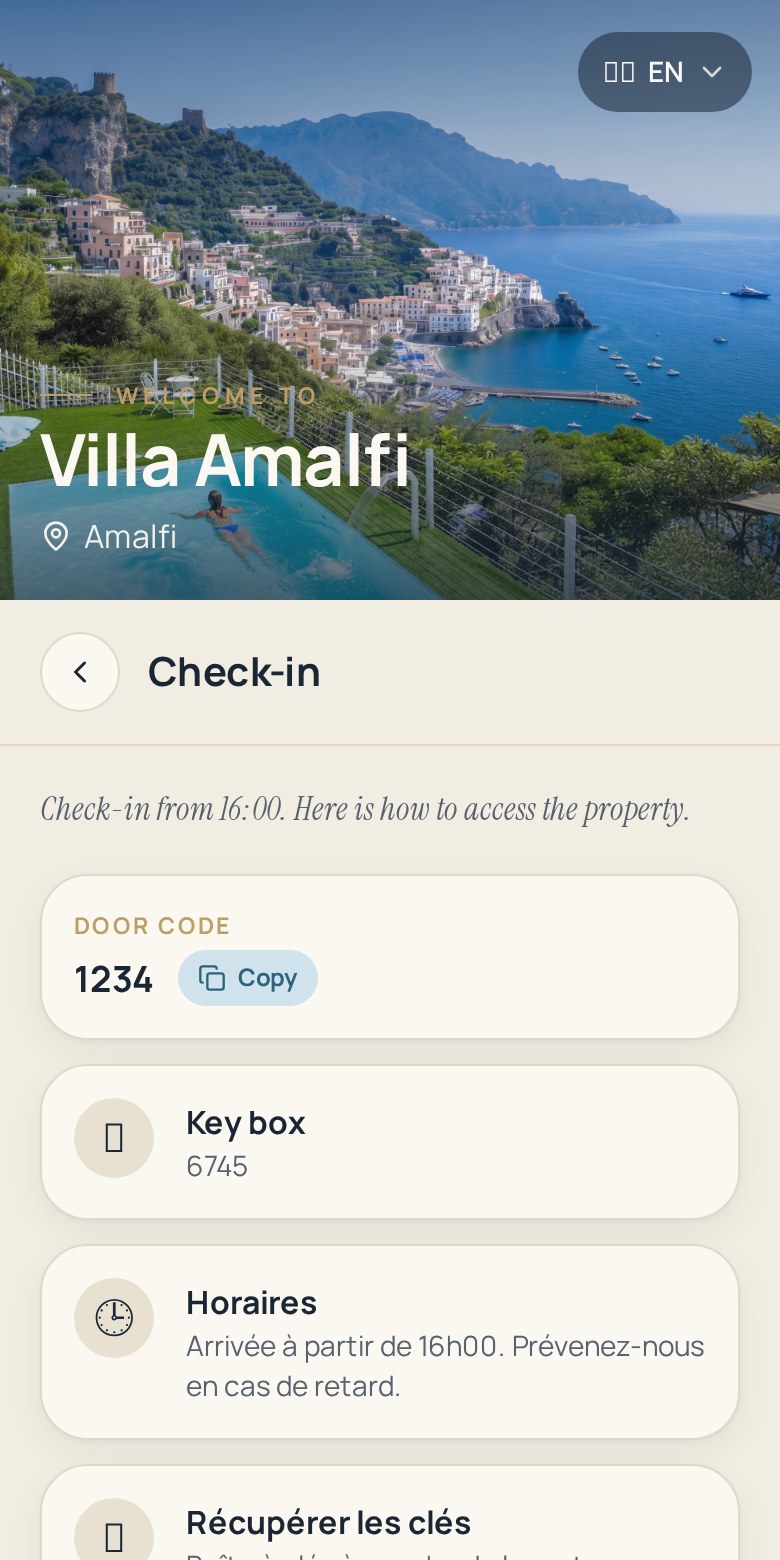
Address, how to get there from the station or airport, entrance, codes, key collection and check-in window written for a first-time visitor.
Wi-Fi information
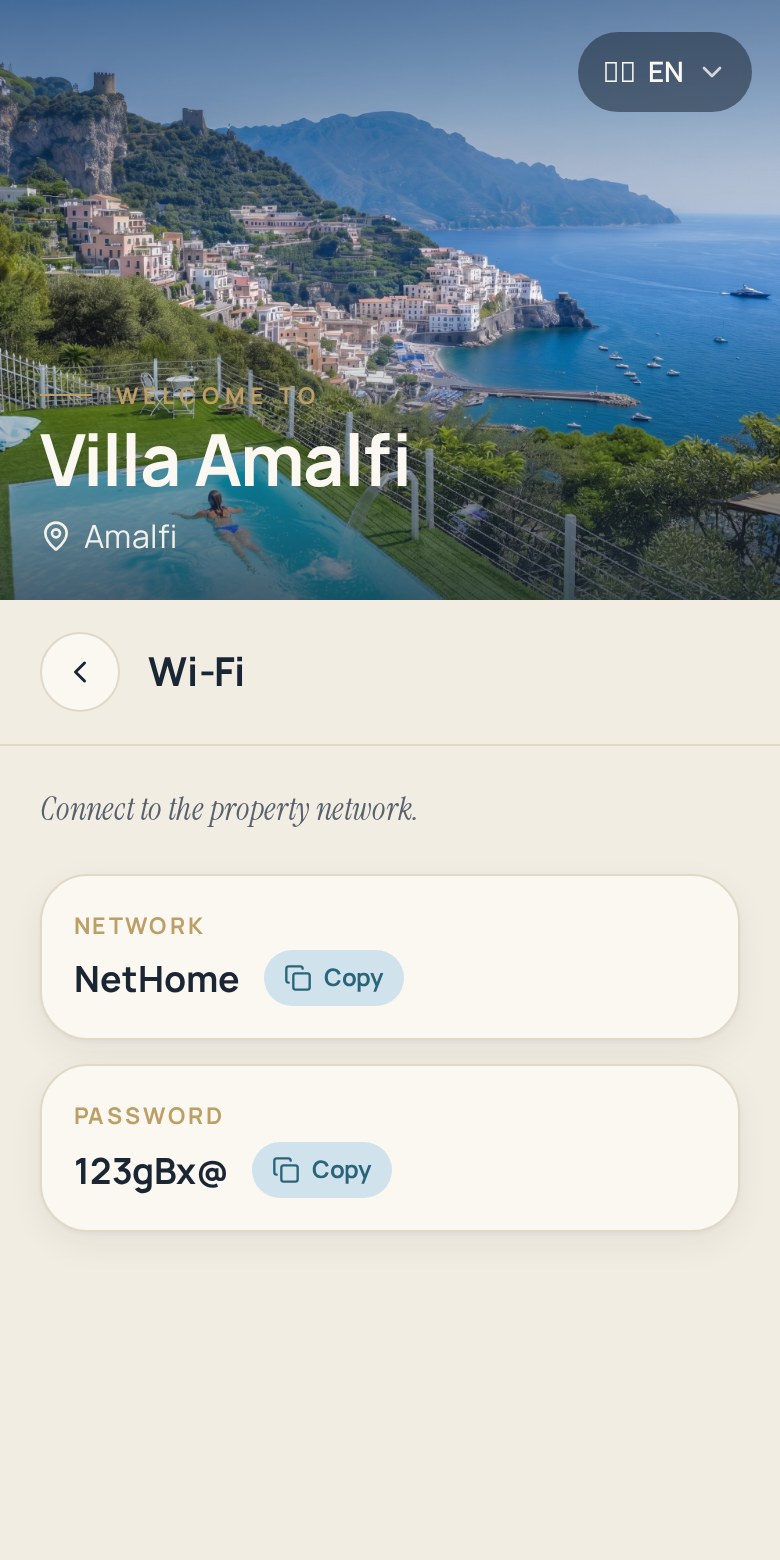
Network and password shown in full, one of the very first things guests look for after dropping their bags.
Property rules
Quiet hours, smoking policy, pets, visitors, shared spaces: your rules stated in the same place as the practical details.
Check-out
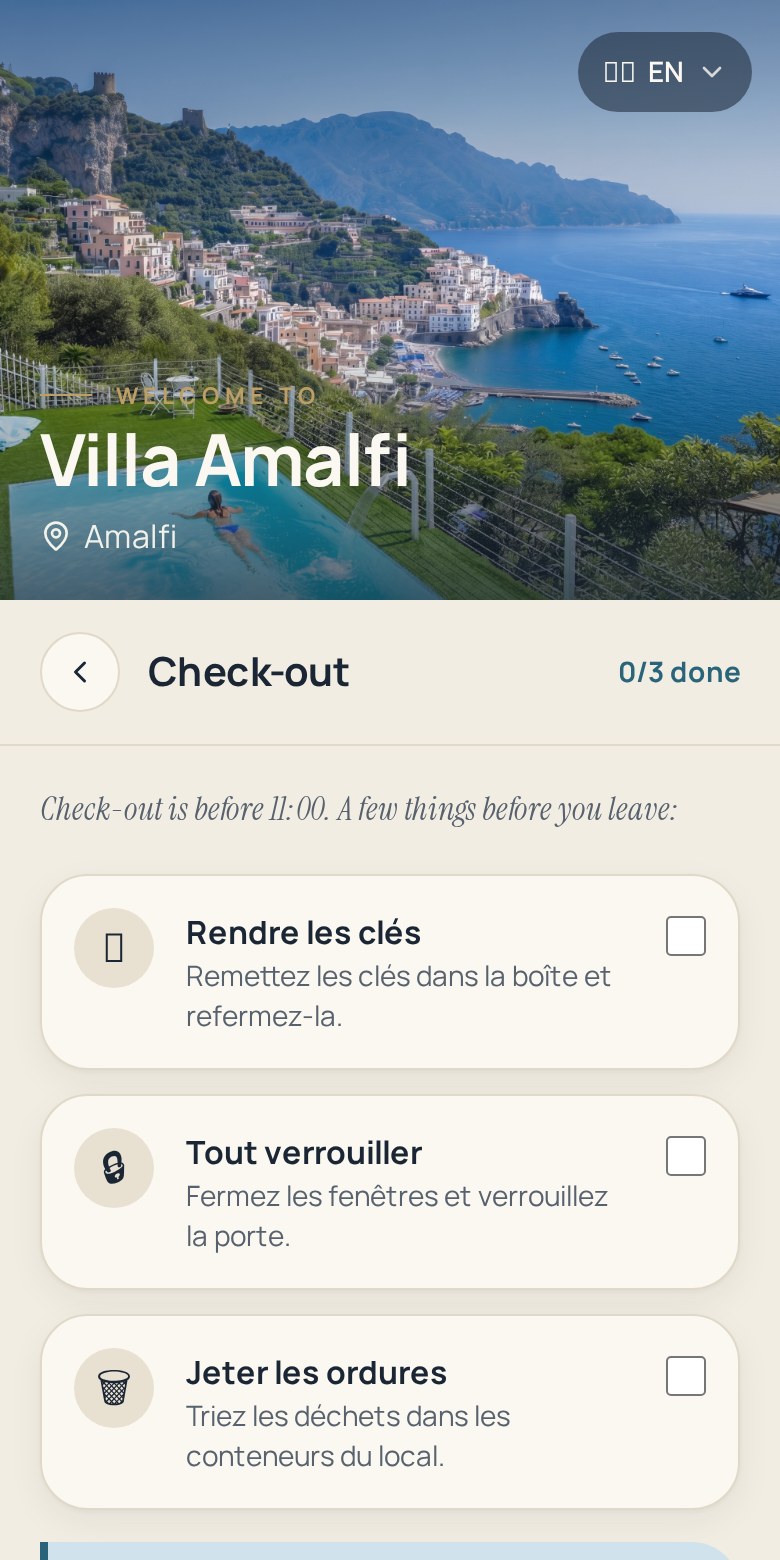
Departure time, keys, luggage, bins and anything your cleaning team needs the guest to do before leaving.
Around the property
Breakfast options, supermarkets, transport, parking and places worth walking to — useful for short city stays.
Useful contacts
Who to contact and how, plus what to do if the heating, the hot water or the door lock misbehaves.
How to set up your Booking.com guest guide
Three steps per unit, reusable for the next one.
- 1
Create your guidebook
Add the unit in Zoguest with its name and a hero photo, and keep only the sections relevant to that property.
- 2
Add your guest information
Enter arrival instructions, Wi-Fi, property rules, appliances, contacts and check-out details for that specific unit.
- 3
Share it with your guests
Send the link with your pre-arrival message and display the printed QR code poster inside the property.
Why property managers use it on Booking.com stays
Fewer unknowns for the guest, fewer interruptions for the person on call.
Fewer calls during changeovers
Guests find access instructions and Wi-Fi themselves instead of calling while your team is cleaning another unit.
The same standard in every unit
Each property follows the same structure, so a guest gets a consistent experience across your portfolio.
Instant corrections
A new door code or a changed bin day is updated once and immediately visible to guests currently on site.
Clear rules, fewer disputes
House and building rules are visible during the stay, not only in a listing the guest read once before booking.
A smoother arrival for late check-ins
Guests arriving at night follow written steps at their own pace instead of waiting for a reply.
Guest information in one place
Your team stops looking for the right version of the right document for the right unit.
Printed welcome folder vs digital guest guide
How the in-room folder or emailed PDF compares with a digital guest guide for a Booking.com property.
| In-room folder or emailed PDF | Zoguest digital guest guide | |
|---|---|---|
| Accessibility | Read only once the guest is inside, or after downloading a file. | Opened from a link before arrival and from a QR code on site. |
| Updating | New print run, or a second email correcting the first. | One edit in the dashboard applies to the live page. |
| Mobile access | Not designed for a phone screen. | Mobile-first page built for reading on arrival. |
| Sharing | Physical copy per unit, or an attachment per booking. | The same link and QR code for every guest of that unit. |
| Multi-unit management | One document to maintain per unit, manually. | One guidebook per unit, managed from a single dashboard. |
The guest journey, from booking to departure
What a Booking.com guest looks up at each stage of a self check-in stay.
Before check-in
The link goes out with your pre-arrival message so late bookers still get a complete briefing.
- Address and route from the station or airport
- Check-in window and access steps
- Entrance and lock codes
- Parking, lift and luggage details
During the stay
The QR code poster inside the unit keeps the guidebook one scan away.
- Wi-Fi network and password
- Property and building rules
- Heating, hot water and appliances
- Breakfast, shops and transport nearby
Before check-out
Departure expectations are written down, which protects your turnover window.
- Check-out time
- Key return instructions
- Waste and recycling
- Late luggage options if you offer them
Booking.com guest guidebook FAQ
Practical answers for hosts and managers running Booking.com properties.
What is a Booking.com guest guidebook?
It is the guest information document for your Booking.com property: arrival and access instructions, Wi-Fi, property rules, how the unit works, useful contacts and check-out steps. With Zoguest it is a mobile web page you can update at any time rather than a folder left in the room.
How do I give arrival instructions to a guest who books at the last minute?
Keep the guidebook published and paste its link in your pre-arrival message. Because the page is always current, a guest who books in the afternoon receives exactly the same complete instructions as one who booked weeks earlier.
Does Zoguest connect to my Booking.com extranet?
No. Zoguest is independent from the platform: it creates the guest-facing guidebook and gives you a link and a QR code to share. You send that link through the channel you already use to contact guests.
Can I manage several units or buildings?
Yes. Each unit gets its own guidebook, link and QR code, and you can duplicate an existing one to keep the same structure across your portfolio. Your plan determines how many properties and translation languages you can use.
What should a digital welcome book contain for a self check-in stay?
Everything a guest cannot guess: exact address and route, access codes, check-in and check-out times, Wi-Fi, appliance instructions, rules, waste handling and a contact for problems. Add local basics such as supermarkets and transport for short city stays.
Do guests need to download anything?
No. The guest page opens in the browser from the link or the QR code scan, with no account and no installation.
Can guests read the guidebook in their own language?
Depending on your plan, your content can be translated automatically and the guest page follows the language of the guest's device, falling back to English.
Related pages
More detail on the product behind this use case.
Give every Booking.com guest a clear arrival
Publish one digital guest guide per unit, share it with a link or a QR code, and stop repeating the same instructions.
Edit once, and guests on site see the update immediately.