Digital Airbnb guidebook your guests actually read.
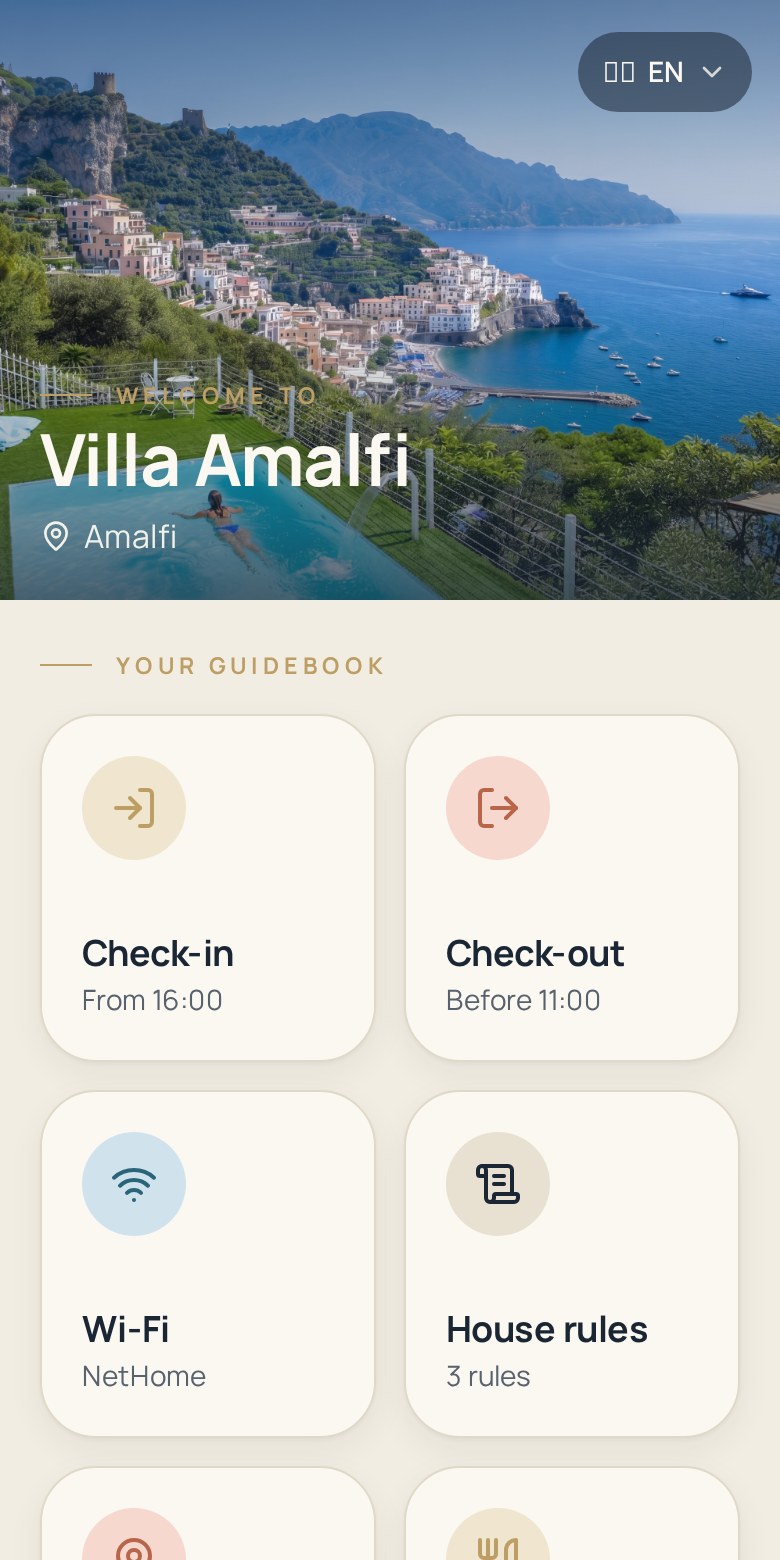
Zoguest replaces the paper welcome book and the copy-pasted Airbnb messages with one digital Airbnb guest guidebook: check-in instructions, Wi-Fi information, house rules, check-out steps and local recommendations, always up to date.
- One link and one QR code per Airbnb listing, ready to send with your arrival message.
- Guests open it in their browser — no app to install and no account to create.
- Edit a door code once and every guest sees the new version immediately.
14-day free trial · No credit card required
Why Airbnb hosts keep answering the same questions
Most of the messages in an Airbnb inbox are not real problems — they are information the guest cannot find at the moment they need it.
The same questions, every booking
Wi-Fi password, door code, parking, bin day: you retype the same answers for each new reservation, often outside working hours.
Information scattered across the thread
Your arrival details sit in the Airbnb message thread, your rules in the listing description and your tips in a PDF. Guests scroll and give up.
A welcome book that ages badly
The printed binder in the apartment is wrong the day the lockbox code, the bin schedule or the neighbour's restaurant changes.
Long messages nobody reads on arrival day
A wall of text sent at 8am is not read by a guest landing at 11pm with luggage in one hand and a phone in the other.
Several listings, several versions
With more than one Airbnb listing you end up maintaining slightly different documents that slowly drift apart.
A confusing first hour
When arrival is unclear, the stay starts with stress — and that first hour is what guests remember when they write the review.
One Airbnb guest guidebook for everything guests ask
Zoguest centralises your Airbnb guest information in a single mobile page, organised in the order guests need it.
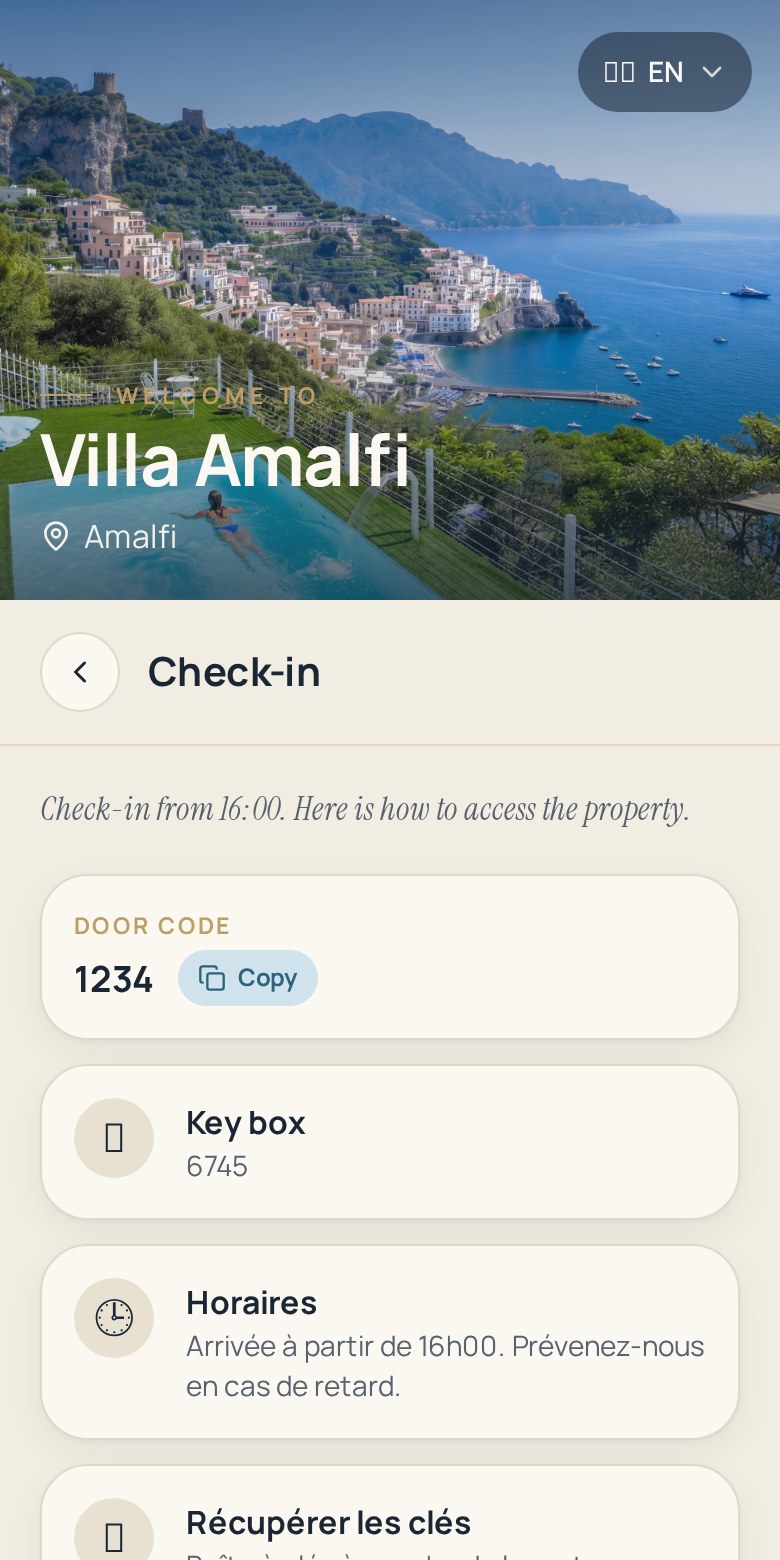
Check-in instructions
Address, access route, building code, lockbox or key handover, floor and door — written step by step for someone who has never been there.
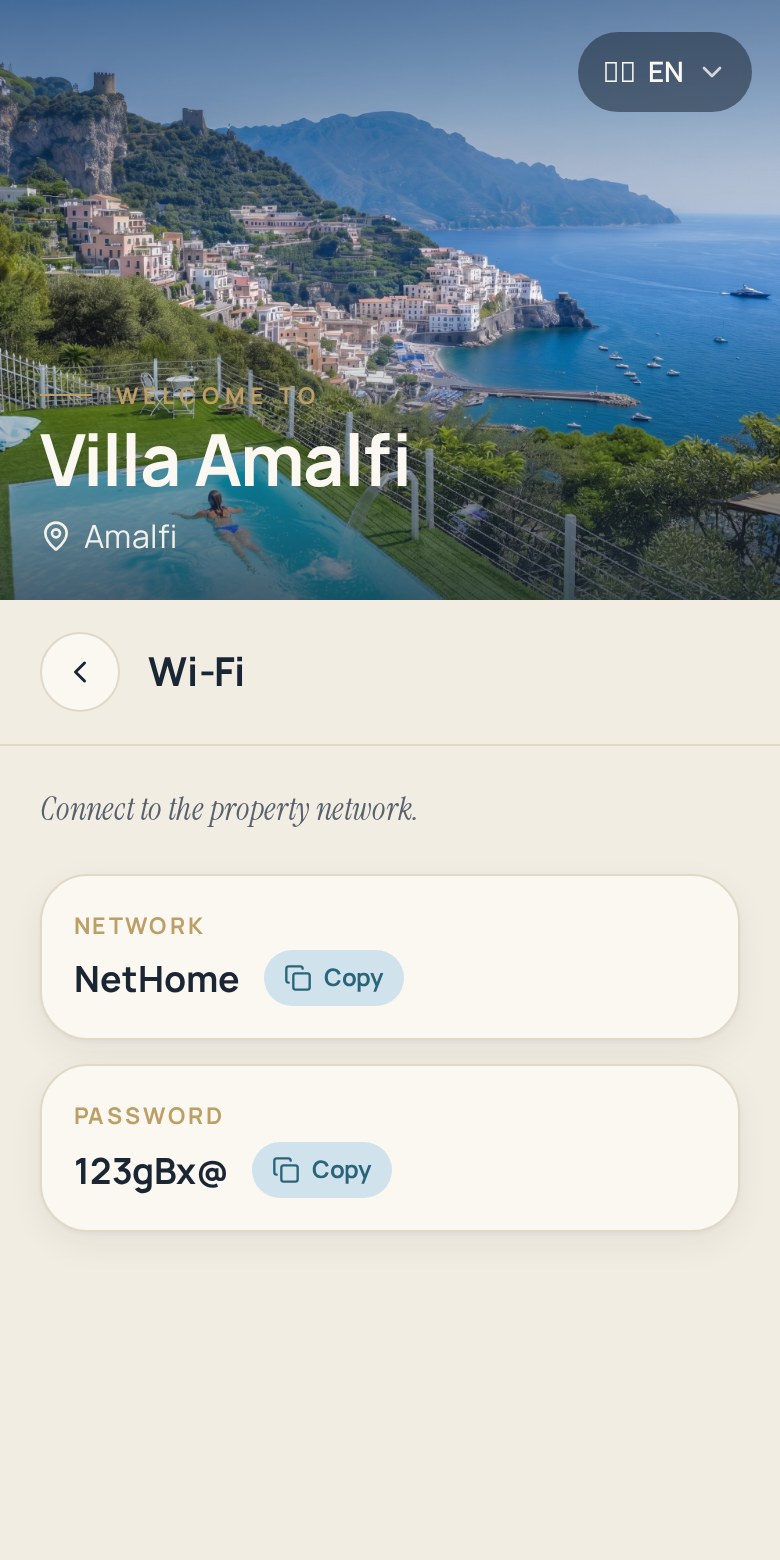
Wi-Fi information
Network name and password in plain text so guests can copy them in one tap, instead of asking you at midnight.
House rules
Quiet hours, smoking, pets, extra guests, waste sorting: your Airbnb house rules stated clearly, where guests will actually see them.
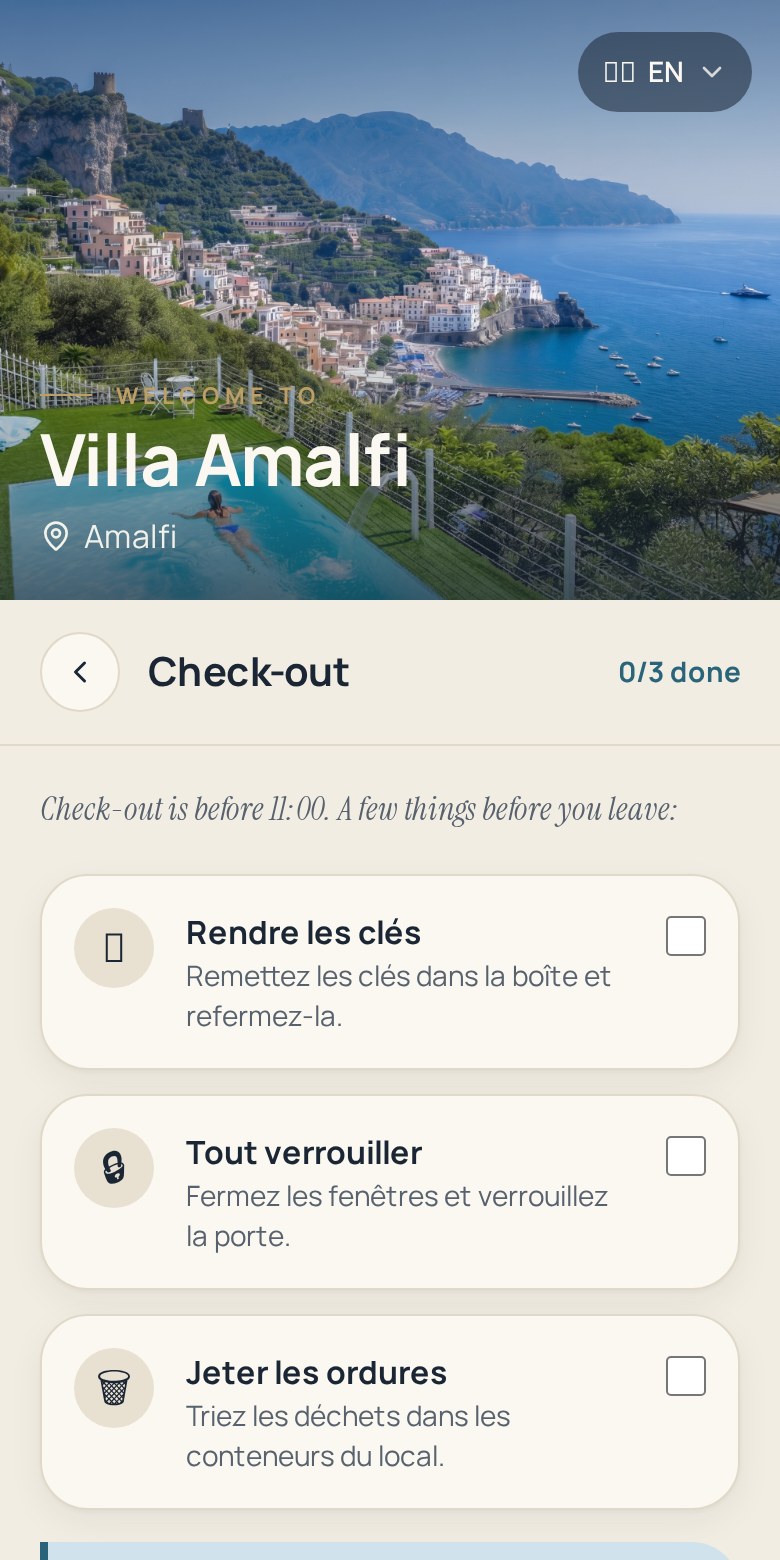
Check-out instructions
Departure time, keys, bins, windows, dishwasher — one short checklist that keeps your turnover on schedule.
Local recommendations
Your bakery, your restaurants, the closest supermarket, the metro station: recommendations written by the host, not by an algorithm.
Important property information
Heating, air conditioning, appliances, useful contacts and what to do in case of a problem, gathered in one place.
How to create your Airbnb guidebook
Three steps, a few minutes per listing.
- 1
Create your guidebook
Add your Airbnb listing in Zoguest: name, hero photo and the sections you want to use.
- 2
Add your guest information
Fill in check-in, Wi-Fi, house rules, check-out, recommendations and property details in your own words.
- 3
Share it with your guests
Publish the guidebook, send the link in your Airbnb arrival message and print the QR code poster for the entrance.
What Airbnb hosts get out of it
The benefits are practical: less back and forth for you, fewer unknowns for your guests.
Reduce repetitive guest questions
Answers live in the guidebook, so the same questions stop arriving in your Airbnb inbox one booking after another.
Keep information up to date
Change a code, a rule or a recommendation in the dashboard and the guest page reflects it right away.
Give guests quick access on arrival
A single link or QR code opens everything they need, on the phone they already have in their hand.
Create a better guest experience
A clear arrival and a well-presented welcome guide make the stay feel organised from the first minute.
Centralise guest information
One source of truth per listing instead of a message thread, a PDF and a paper binder that disagree.
Work the same way across listings
Duplicate a property to reuse your structure, then adapt the details specific to each Airbnb apartment.
Traditional Airbnb welcome book vs digital Airbnb guidebook
A factual comparison between the printed binder or PDF and a Zoguest digital guidebook.
| Paper welcome book or PDF | Zoguest digital guidebook | |
|---|---|---|
| Accessibility | Available in the apartment, or as an attachment guests must download. | Available from any browser, before and during the stay. |
| Updating | Reprint or re-send the file, then hope guests use the latest version. | Edit once in the dashboard; guests see the current version. |
| Mobile reading | PDF zooming and pinching on a small screen. | Mobile-first pages designed for a phone. |
| Sharing | Attachment in the Airbnb thread, or a physical book on the table. | One link to send and one QR code to scan on site. |
| Centralisation | Information split between listing, messages and documents. | All guest information in one structured page per listing. |
What your Airbnb guests find at each moment of the stay
The same guidebook answers different needs before, during and at the end of the stay.
Before check-in
Sent with your arrival message, the guidebook removes the questions that usually arrive on travel day.
- Exact address and how to reach it
- Check-in time and access instructions
- Building or lockbox code
- Parking and luggage information
During the stay
Guests reopen the guidebook whenever they need a detail instead of messaging you.
- Wi-Fi network and password
- House rules and quiet hours
- How appliances and heating work
- Local recommendations around the apartment
Before check-out
A short departure checklist keeps your cleaning schedule predictable.
- Check-out time
- Where to leave the keys
- Bins, dishes and windows
- How to reach you if something is unclear
Airbnb guidebook FAQ
The questions Airbnb hosts ask before building their first digital welcome book.
What is an Airbnb guest guidebook?
An Airbnb guest guidebook is the document that gathers everything a guest needs during a stay: check-in and check-out instructions, Wi-Fi details, house rules, how the apartment works and your local recommendations. With Zoguest it is a mobile web page instead of a printed binder, so it can be updated at any time.
What should I include in an Airbnb welcome book?
Start with arrival: address, access route, codes and check-in time. Then add Wi-Fi, house rules, appliance instructions, useful contacts, a check-out checklist and a short list of places you genuinely recommend nearby. Anything a guest has asked you twice belongs in the guidebook.
How can I share information with my Airbnb guests?
Zoguest gives each property a stable guest link and a QR code. You can paste the link in your Airbnb arrival message and print the A4 poster with the QR code to hang inside the apartment. Guests open the page in their browser — nothing to install.
What is a digital Airbnb house manual?
It is the practical part of the guidebook: how the heating, air conditioning, oven, washing machine or TV work, plus waste sorting and what to do if something breaks. Keeping it digital means you can correct an instruction as soon as an appliance changes.
Do my guests need to create an account or install an app?
No. The guest page is a public web page opened from a link or a QR code scan. Guests do not sign up and do not install anything.
Does the QR code change if I rename my Airbnb listing?
No. Each property gets its own stable identifier when it is created, so renaming the listing does not invalidate a poster you have already printed. Duplicating a property creates a new identifier and a new QR code.
Can I manage several Airbnb listings?
Yes. You can create one guidebook per property, each with its own link, QR code and content. Duplication lets you reuse a structure you like across apartments. The number of properties and translated languages depends on your plan.
Is the guidebook available in other languages?
Yes. Depending on your plan, your guest content can be translated automatically and guests see the guidebook in their own language, with English as the fallback.
Go further
Related product pages if you want the details behind the Airbnb use case.
Digital guest guidebook
The full product overview: sections, QR code, real-time updates.
Digital house manual
How to replace the paper or PDF house manual of your apartment.
QR code guest guidebook
Scan, open, get the information: how the QR code poster works.
Pricing
Plans, properties and translation languages included.
Give your Airbnb guests the answers before they ask
Create your digital Airbnb guidebook, share it with a link or a QR code and keep it up to date from one dashboard.
Update your guidebook at any time — guests always see the current version.